
SBL POS · POS system
Till, floor plan and playing time in one system
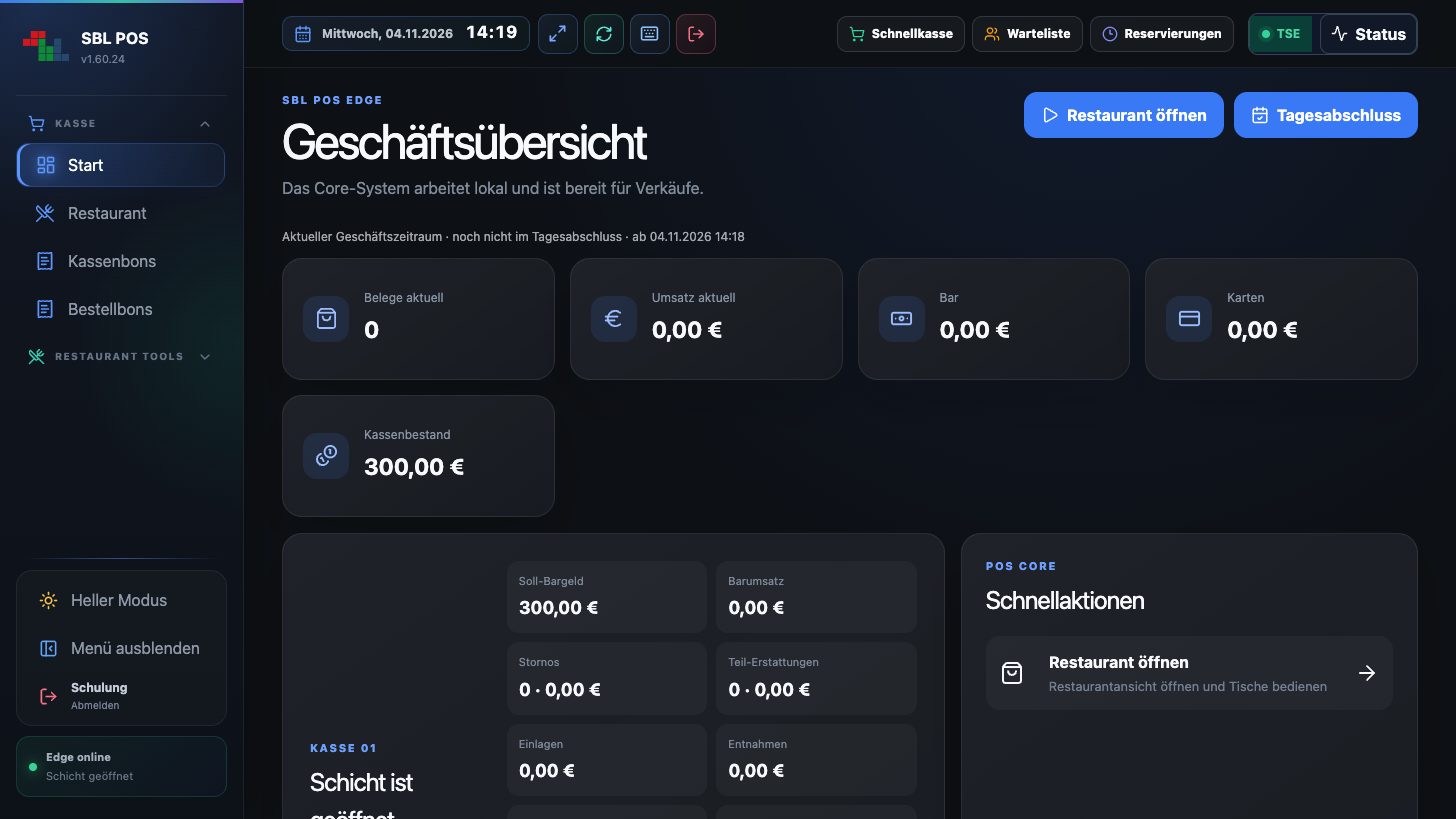
SBL POS is the modern POS system by SBL Solutions for billiard halls, darts and poker clubs, bars and restaurants. Runs locally on site, operated on PC, touch terminal, tablet and smartphone.
Playing time
Billiards, darts, table football & poker to the minute
TSE
Technical security device connected
DSFinV-K
Export for tax audits and tax advisors
4 devices
POS, waiter app, customer and kitchen display
Features
Everything your business needs every day
From opening the till to the end-of-day closing: SBL POS guides your team step by step through the day.
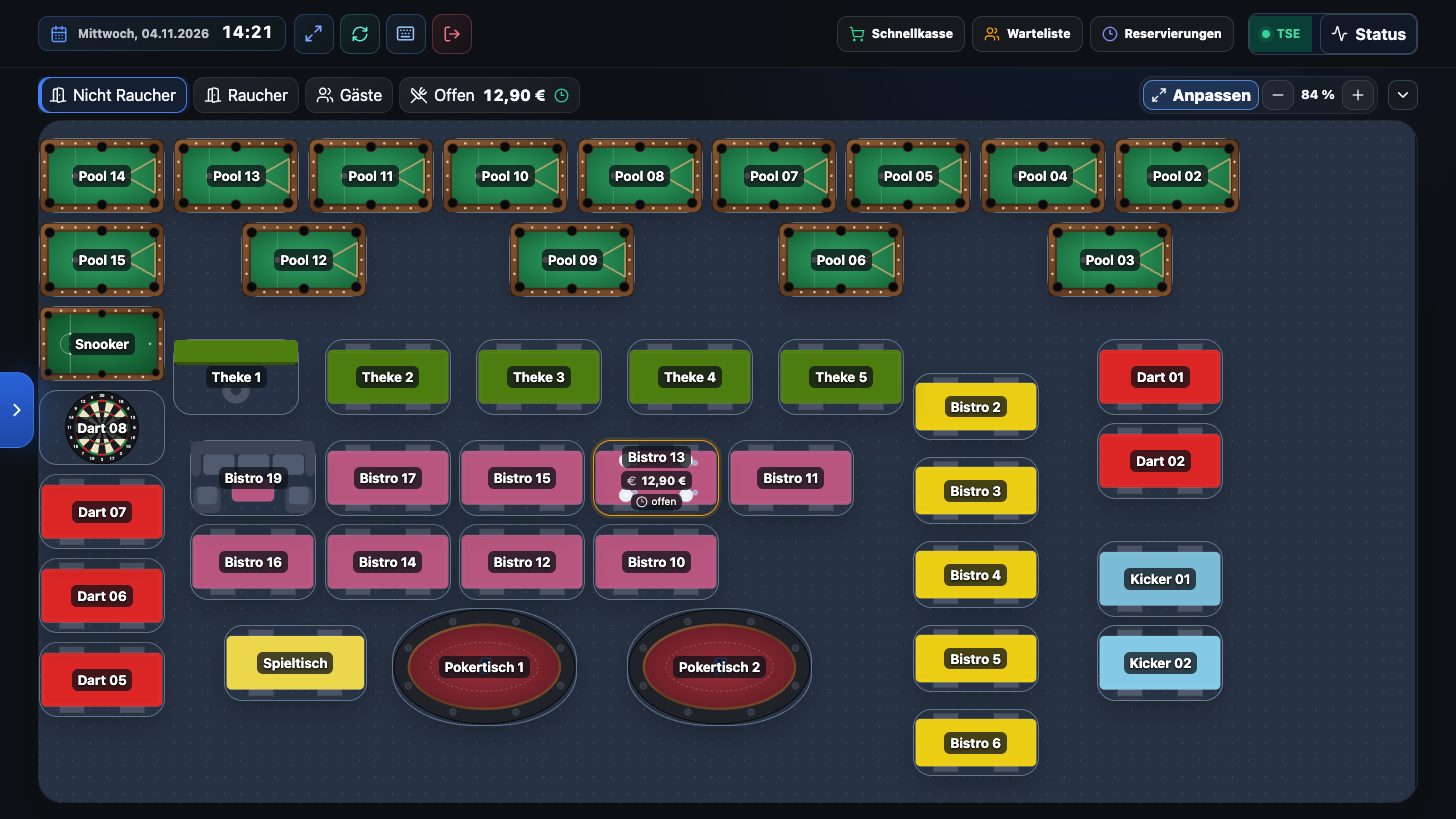
Graphical floor plan
Design rooms freely. Pool, snooker, carom, darts, table football, poker and restaurant tables as top-down graphics, with status and amounts.
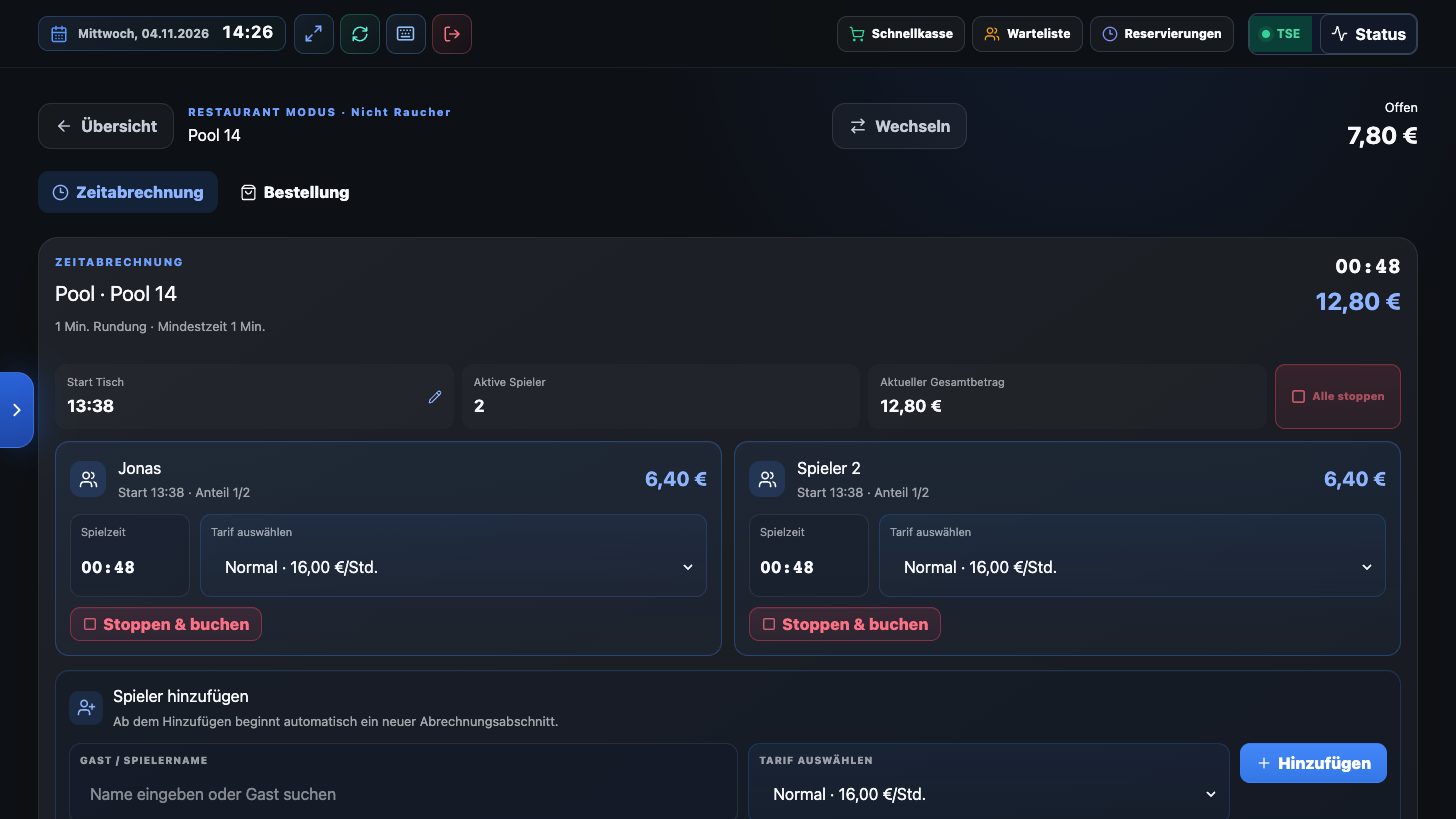
Billiard & playing time
Start and stop playing time and book it to the table. Several players with their own rate, also split or transferred.
Order tickets & kitchen display
Orders are sent as tickets to the kitchen or bar, or live to the iPad of the SBL POS Station.
Payment
Cash, card (terminal or manual) and voucher. With tips, change, split bill and change of payment method.
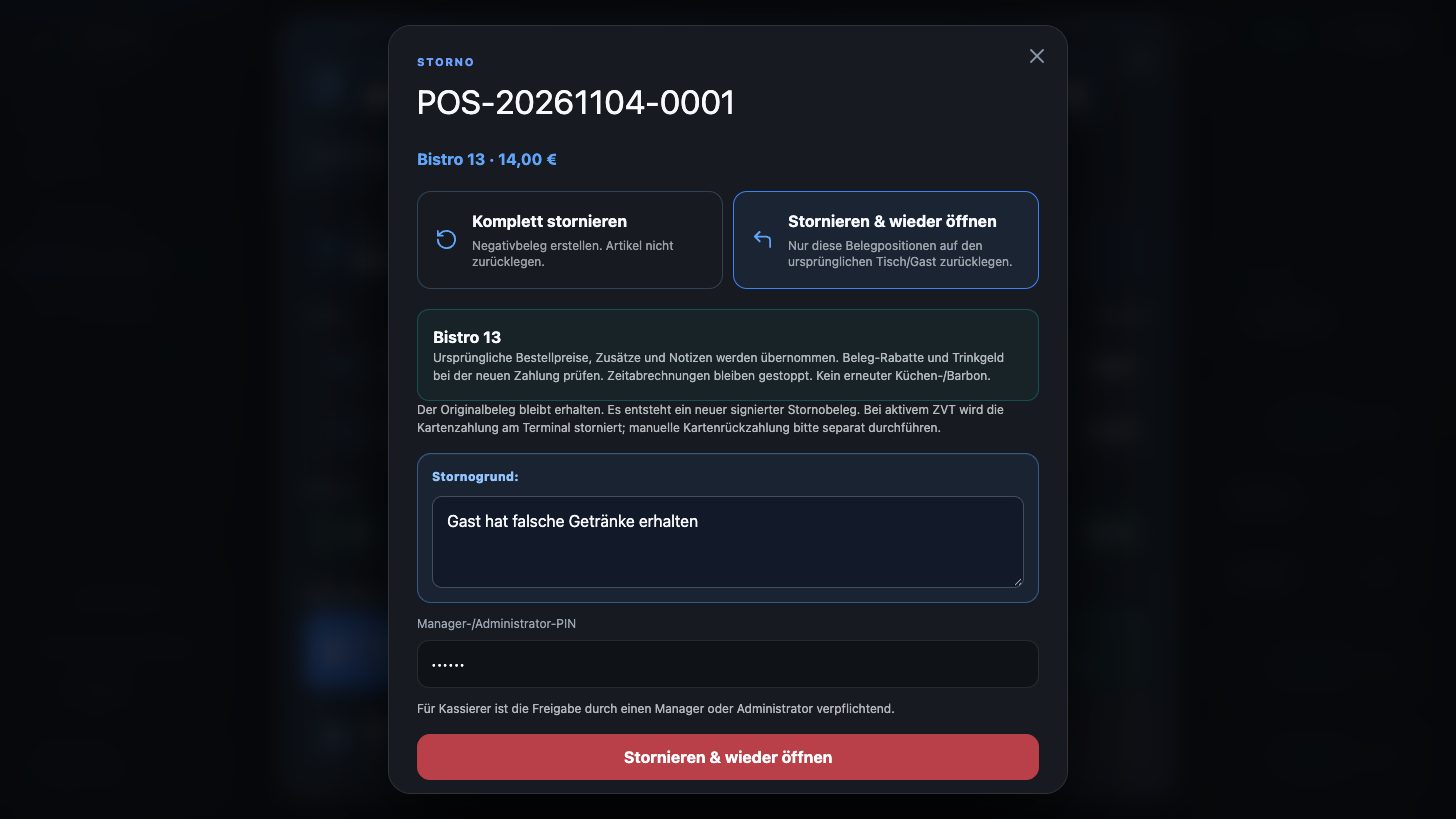
Cancel & reopen
Cancel a receipt completely or cancel it and put the items back on the original table, with manager PIN.
Opening the till & end-of-day closing
Opening balance from the last closing, cash count by denomination, tip payout and skimming as cash transit.
Inventory
Stock, minimum stock, purchase price and margin per item. Complete stock movements, export as PDF and Excel.
Guests & regulars
Guest profile with revenue and favourite items. Frequently ordered items appear first for that guest automatically.
Items & groups
Groups and subgroups of any depth, extras and options, favourites, barcode scanning and Excel import with purchase price.
Vouchers
Sell, manage and redeem vouchers via barcode or QR code, also as partial payment with remaining balance.
Lighting control
Table lighting via I/O module: the light switches on and off with the playing time.
Operators & roles
Login by PIN, finely adjustable permissions for cashiers, managers and admins.
Touch & on-screen keyboard
Large buttons and a built-in keyboard for numbers and text, ideal for touch terminals without a keyboard.
Z report your way
Revenue in the end-of-day closing by category, by item or both, with your own print templates.
Mobile app & displays
Waiter app for iOS and Android, customer display and kitchen display for the iPad.
What’s new recently
SBL POS is continuously developed, often at our customers‘ request. Updates are installed conveniently via remote maintenance.
Graphical floor plan
Your hall, just as it really looks
The graphical view can be switched on per room. Billiard, snooker and carom tables, dartboards, table football, poker tables, lounges and restaurant tables appear from above, in your table colour and freely rotatable. Occupied tables show balls, cue or glasses.
- Size, position and rotation freely adjustable
- Status, amounts and running time remain visible
- Existing floor plans remain unchanged
Time billing
Several players, individual rates, flexible billing
Each player gets their own time and rate. When paying, the team decides: charge only the drinks and let the time keep running, or stop the time and settle everything together.
- Add players and stop them individually
- Take the time along on a table transfer or leave it at the table
- Warning if time is still running when paying
Cancel & reopen
Booked by mistake? Cancel and keep billing
A receipt can be cancelled completely or cancelled and reopened. The items are then back on the original table or guest and can be billed correctly again. The original receipt and its TSE signature remain unchanged.
- Approval by manager PIN
- Only possible until the end-of-day closing
- No duplicate kitchen ticket, no duplicate stock deduction
Cash balance
The cash balance is right, every day
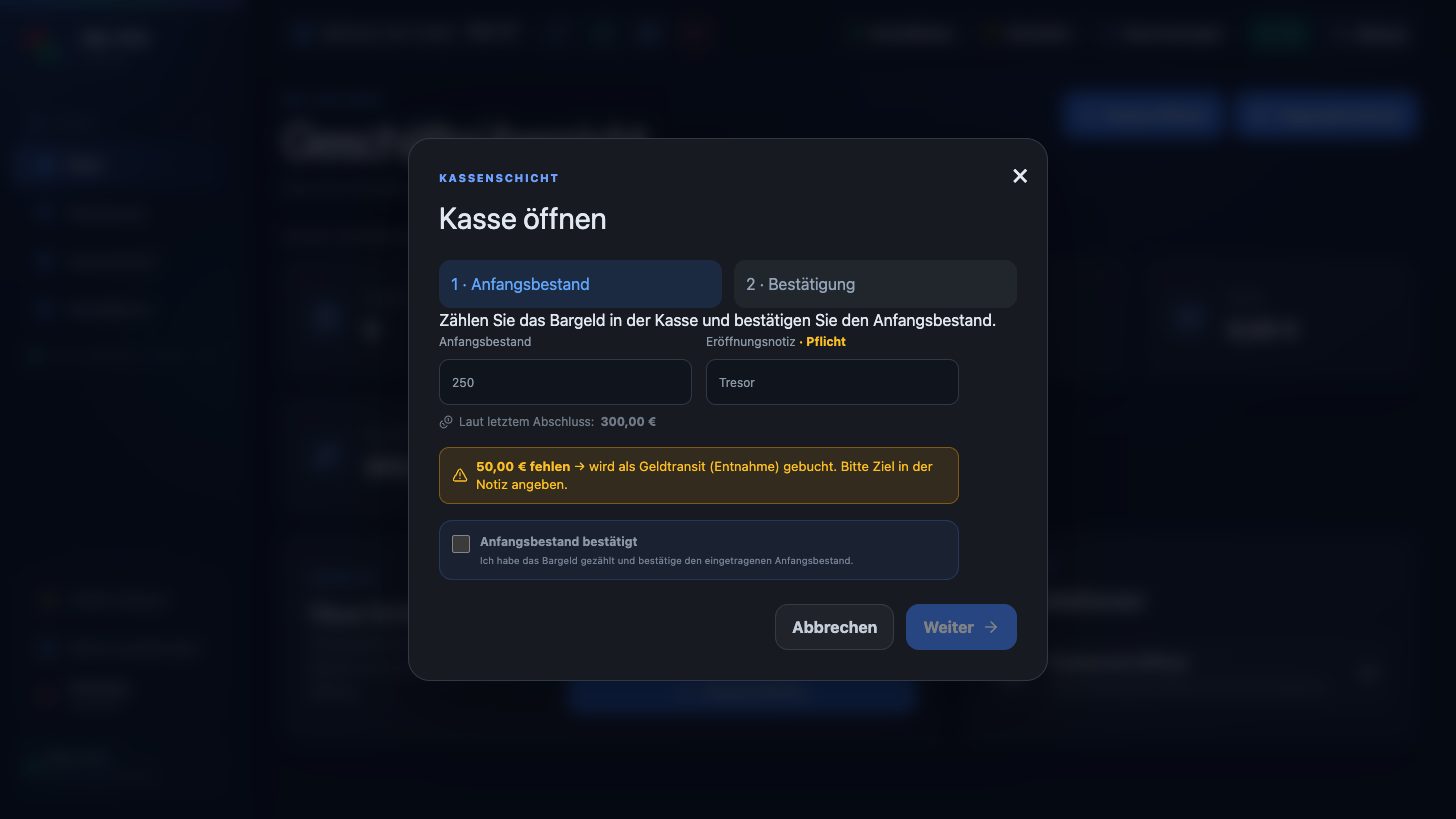
When opening, the till suggests the counted amount from the last end-of-day closing. If less is put in, SBL POS asks for a note and books the difference automatically as cash transit. This keeps cash records complete and audit-proof.
- “Cash balance” tile in the business overview
- Skimming in the end-of-day closing as cash transit
- Protection against duplicate bookings
End-of-day closing
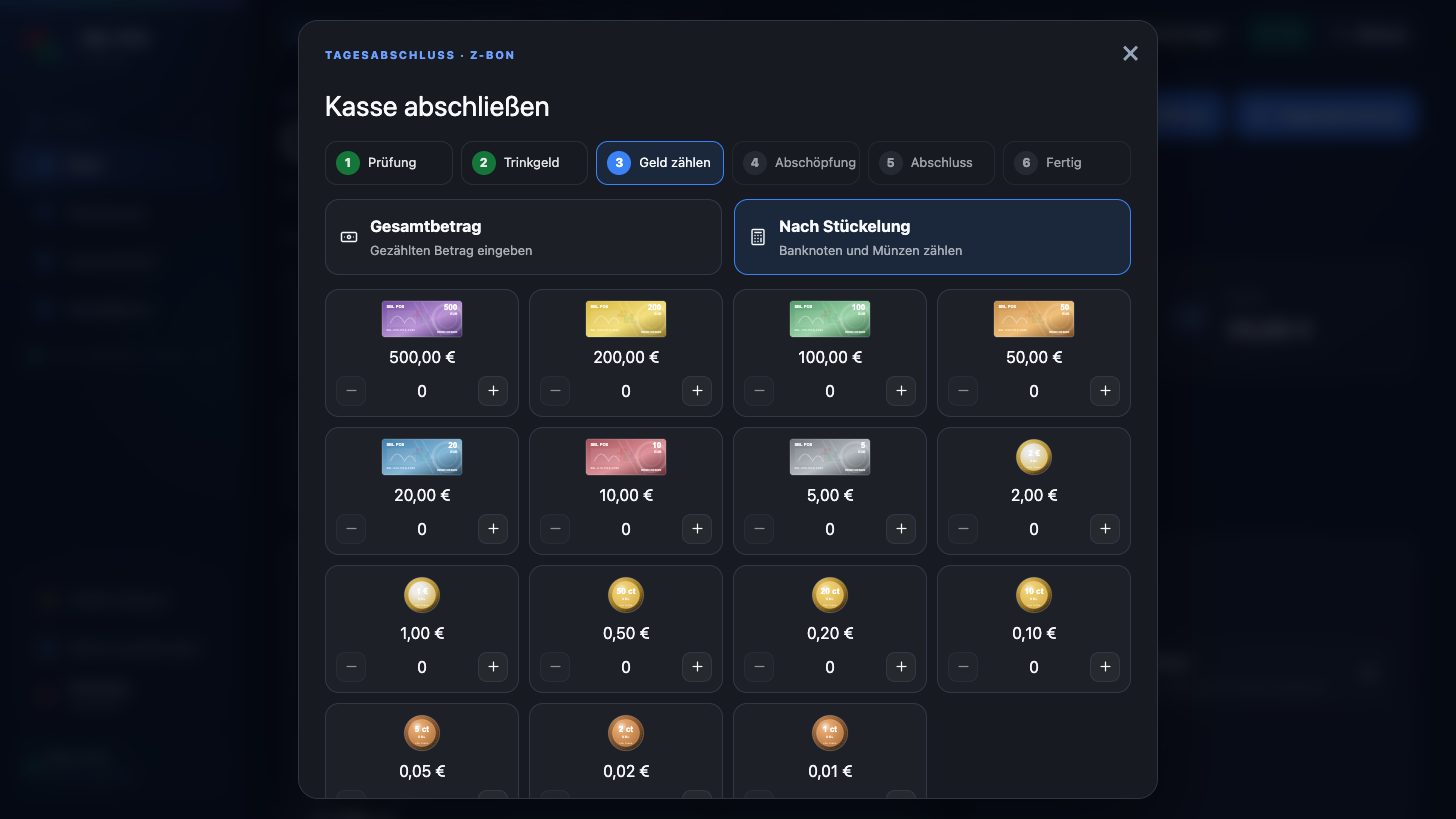
Cash count with notes and coins
The end-of-day closing checks open tables, pays out tips, counts the till by denomination and shows differences before the day is closed. The Z report shows revenue by category, item or both.
- Guided wizard in a few steps
- Difference with reason
- Z report with software version for the DSFinV-K export
Inventory
Stock, purchase price and margin at a glance
Under Master data → Inventory you can see stock value, items below minimum stock and negative stock. Every sale, cancellation and goods receipt is logged as a stock movement. Purchase price and minimum stock can also be imported via Excel.
- Goods receipt and corrections with reason
- Net margin per item
- Stock and movements as PDF or Excel
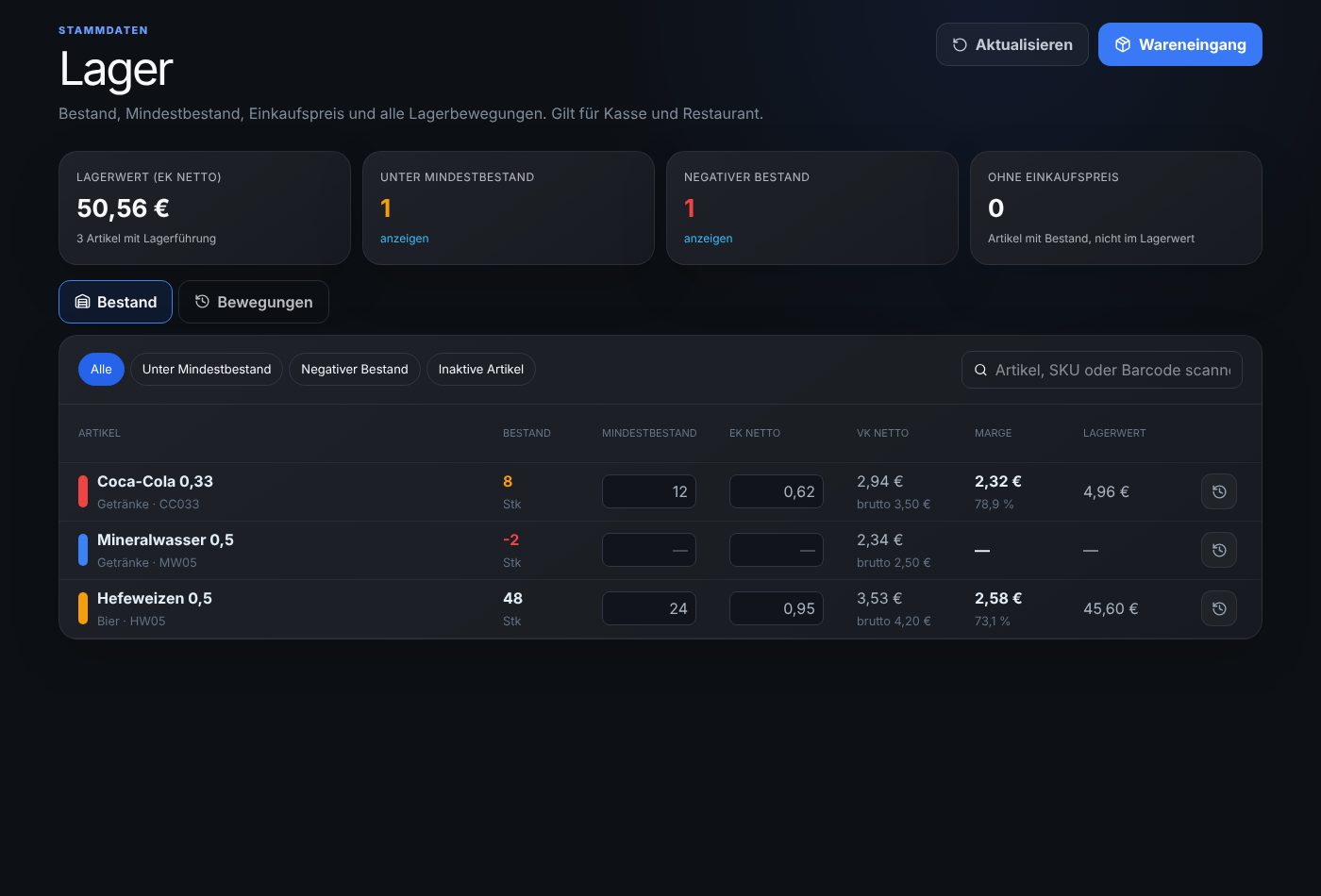
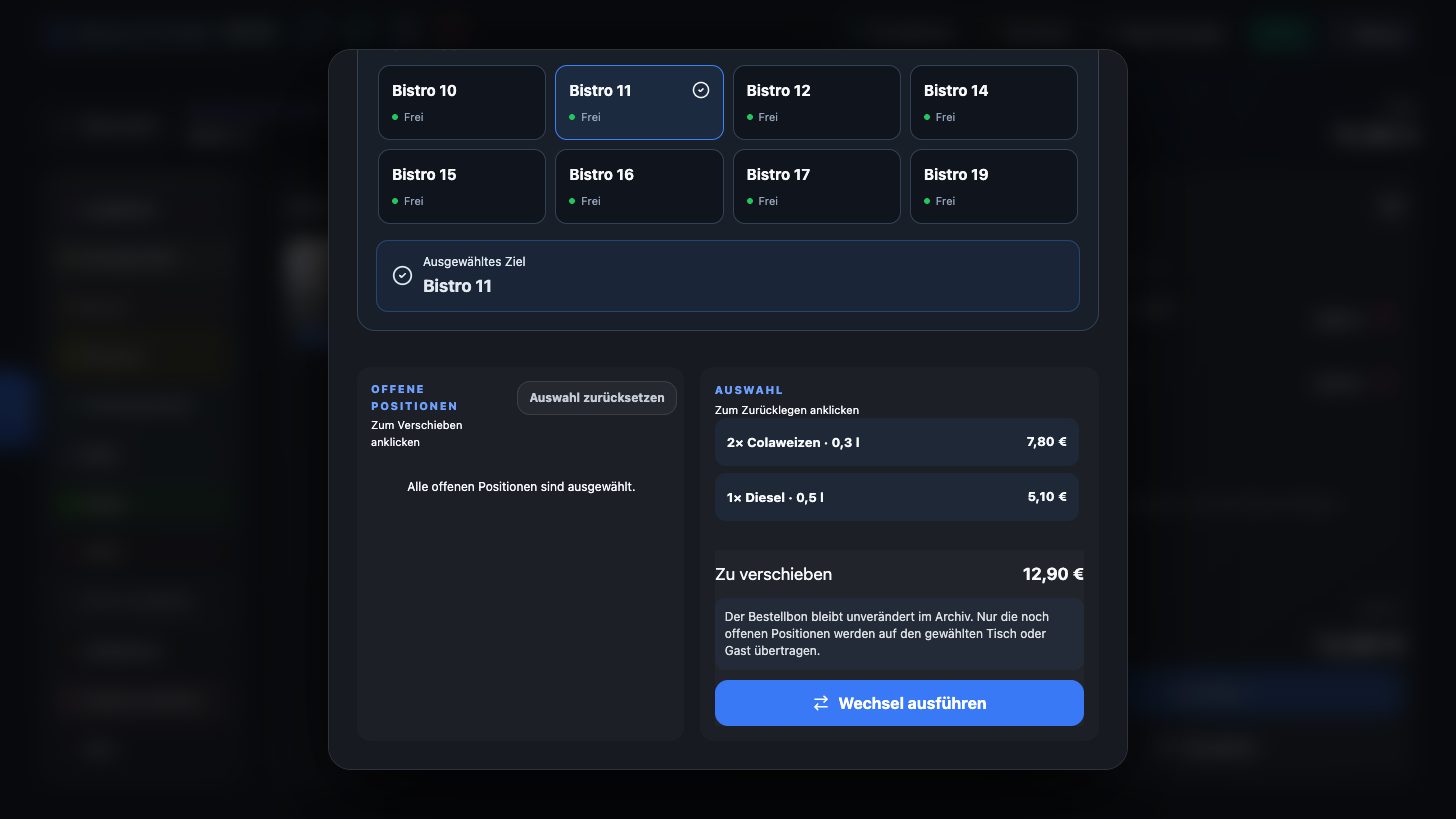
Table transfer
Move single items or the whole table
Items can be moved individually or completely to another table or guest. The running playing time stays at the table or is stopped and taken along.
- Selection by tapping, with quantities
- Merge with an existing order
- Also in the waiter app
Legally compliant
Secure and audit-proof
SBL POS is built for operation in Germany. Fiscalisation, exports and documentation have been part of the system from the start.
TSE
Every receipt and every cash movement is signed by the technical security device (TSE).
DSFinV-K export
Export of POS data for cash inspections, tax audits and tax advisors, including aborted transactions.
Procedural documentation
POS, TSE, users and procedures documented automatically. Notes are locked and secured by a hash chain, export as PDF.
Tax advisor package
Monthly package with reports, exports and procedural documentation for your tax office.
GoBD-compliant corrections
Cancellations, refunds and changes of payment method always as a separate, signed receipt. Nothing is overwritten.
Local operation
The system runs on your business’s network. Your POS data stays with you.
Extensions for service, kitchen and guests
All apps connect with a one-time code from the till and work live on the local network.
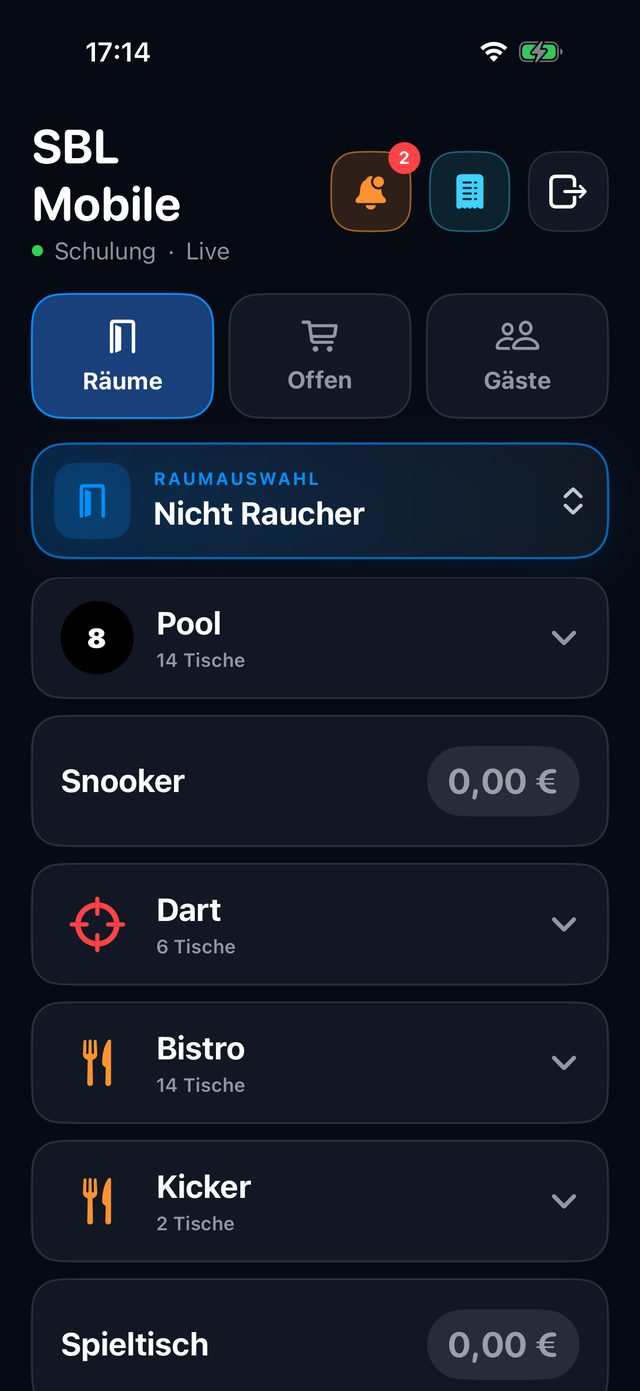
SBL POS Mobile
Waiter app for iPhone, iPad and Android: take orders, control time and get paid right at the table.
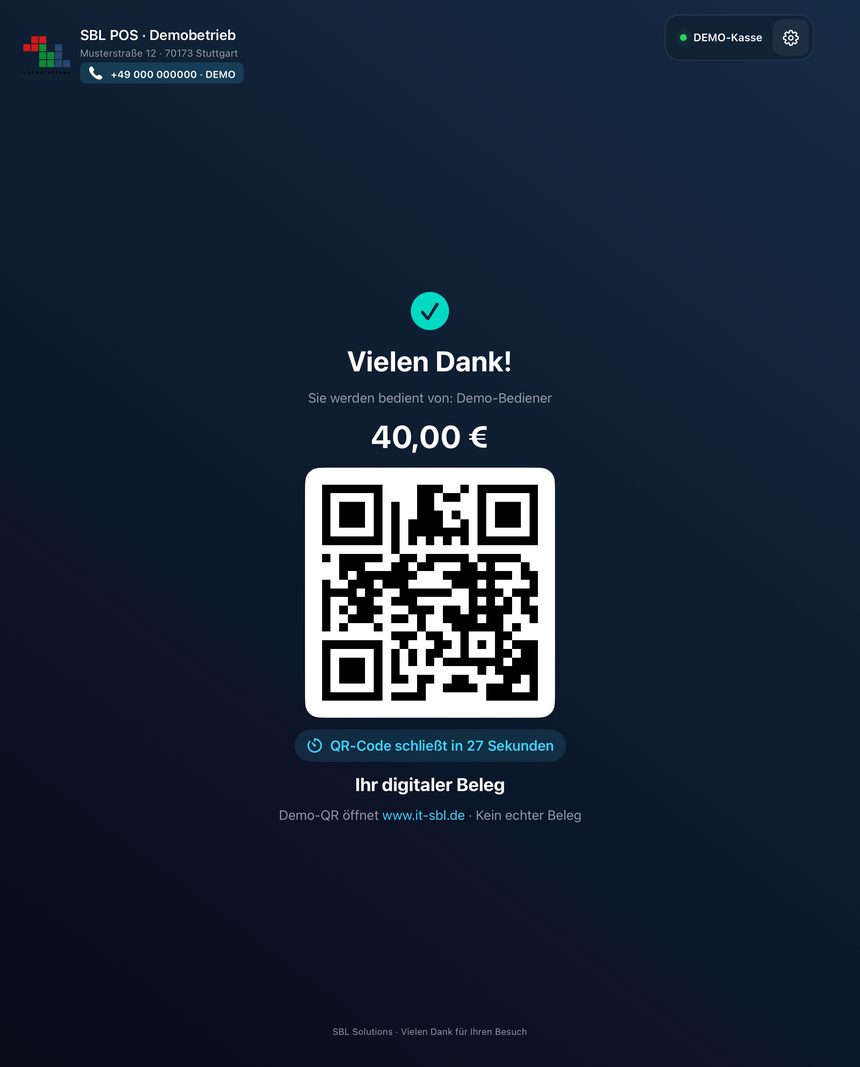
SBL POS Display
Customer display for the iPad: order, voucher, card payment, digital receipt and advertising.
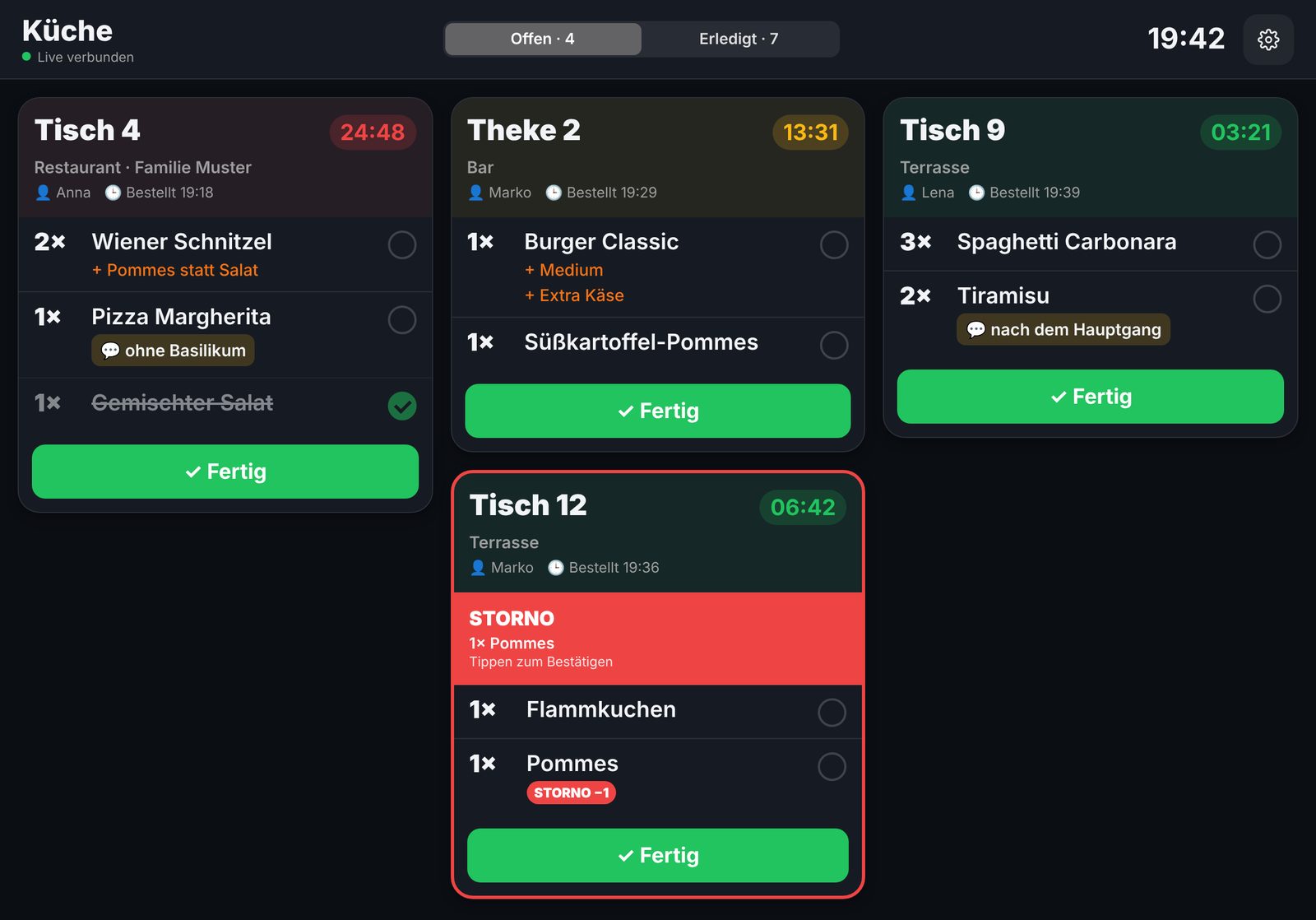
SBL POS Station
Kitchen and bar display for the iPad: tickets live with waiting time, ready notification to the waiter.
Experience SBL POS live
We will show you SBL POS with your workflows: tables, playing time, payment, kitchen and end-of-day closing.