
SBL POS Station · iPad
Orders instantly in the kitchen and bar
SBL POS Station is the kitchen and bar display for SBL POS. Every order from the till or the waiter app appears instantly on the iPad of the responsible station, with table, guest, waiter and waiting time. One tap on Done, and the service team knows.
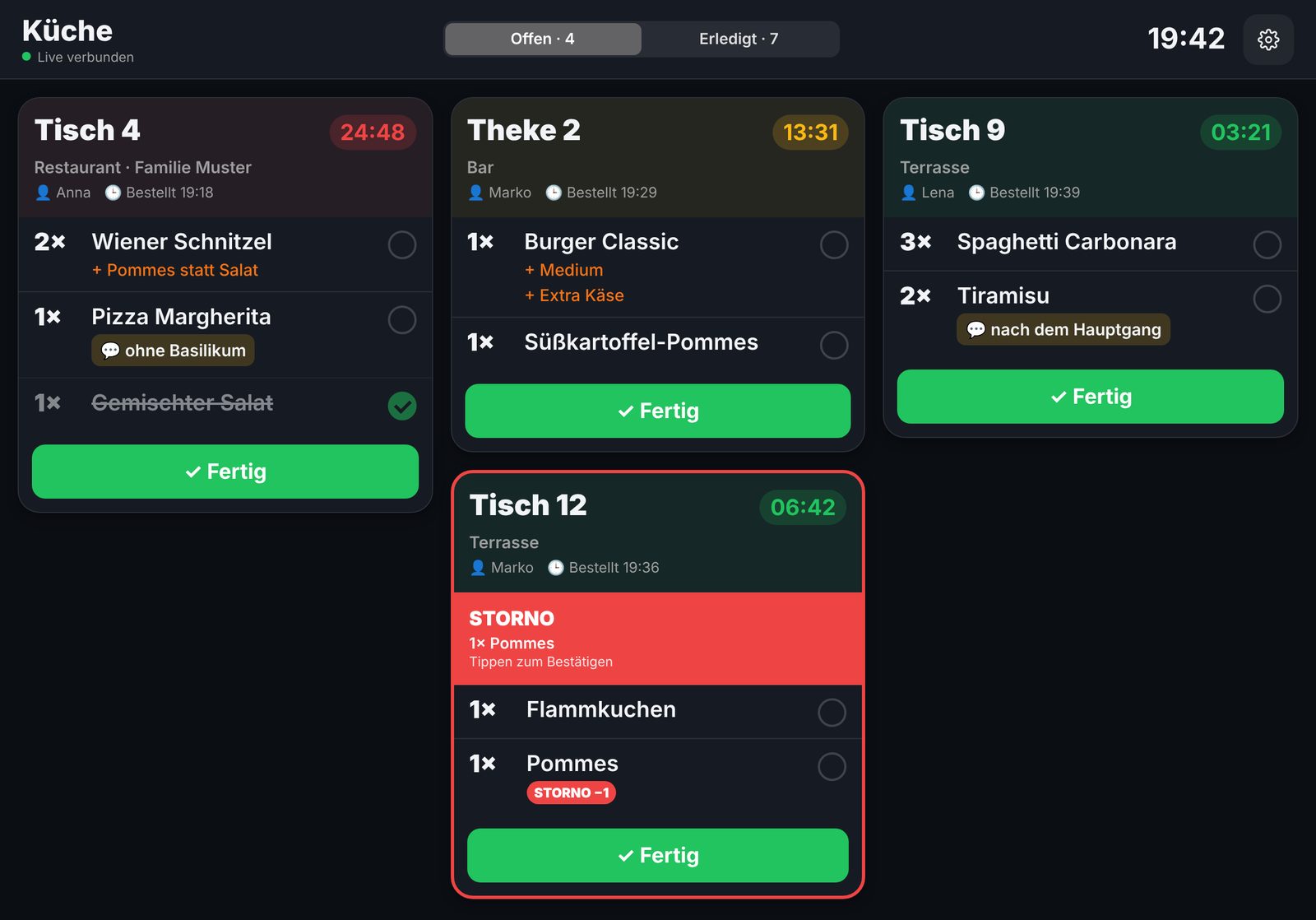
Open tickets
Everything important at a glance
Tickets appear in order of entry. Options and notes are clearly highlighted, the waiting time changes from green to yellow to red. Mark single items or the whole ticket as done with one tap, with an undo function.
- The kitchen only sees food, the bar only drinks
- Item pictures from the till
- Several iPads per station, Done appears instantly on all
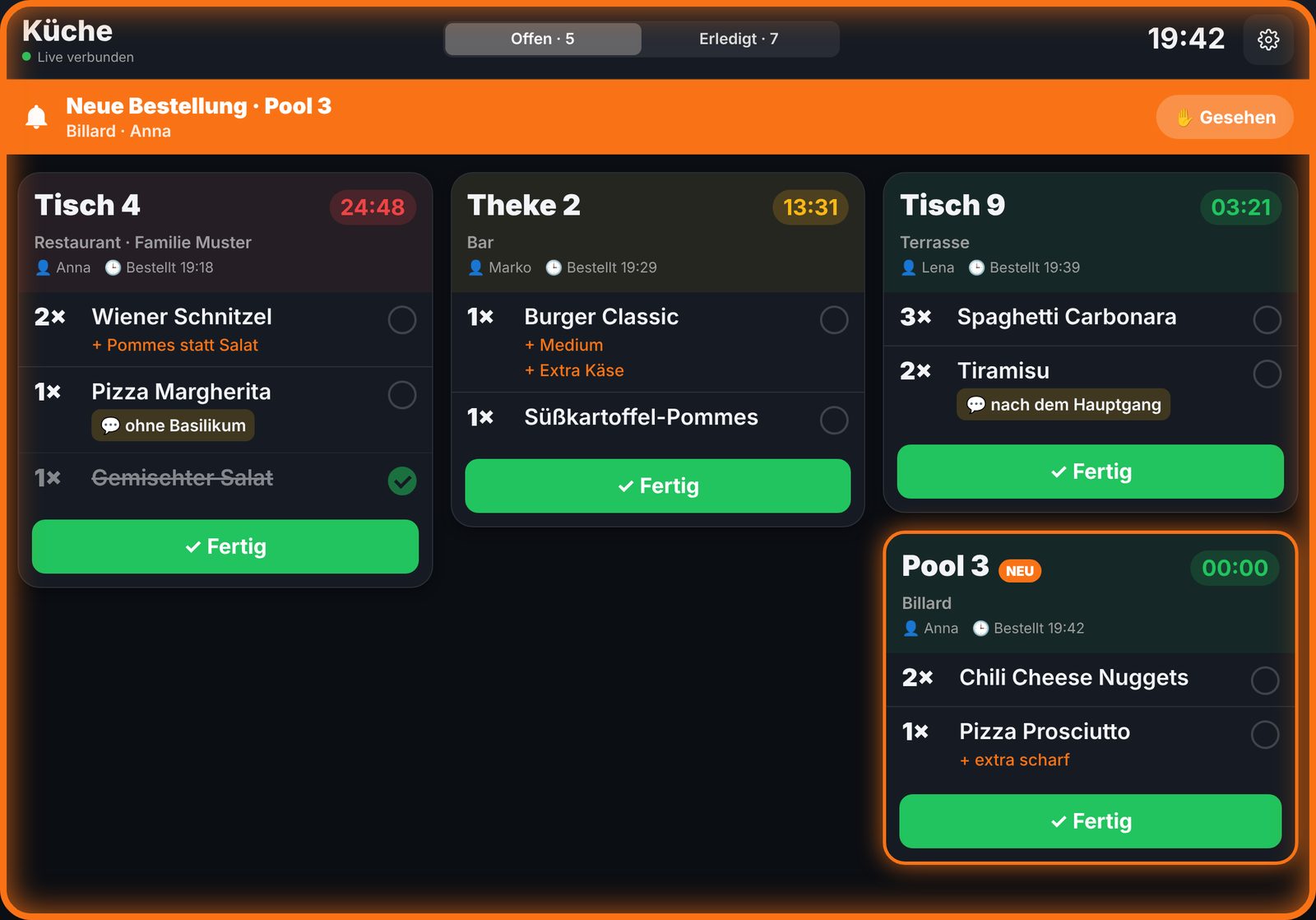
New order & cancellation
No order gets lost anymore
New orders announce themselves with a glowing border, notice bar, pulsing card and sound, repeated until confirmed if desired. Cancellations come with a red frame and their own sound and must be confirmed.
- Effect, sound and repetition adjustable
- Fully cancelled tickets clearly marked
- Sounds audible even in silent mode
History & ready for pickup
Measure serving times, notify waiters
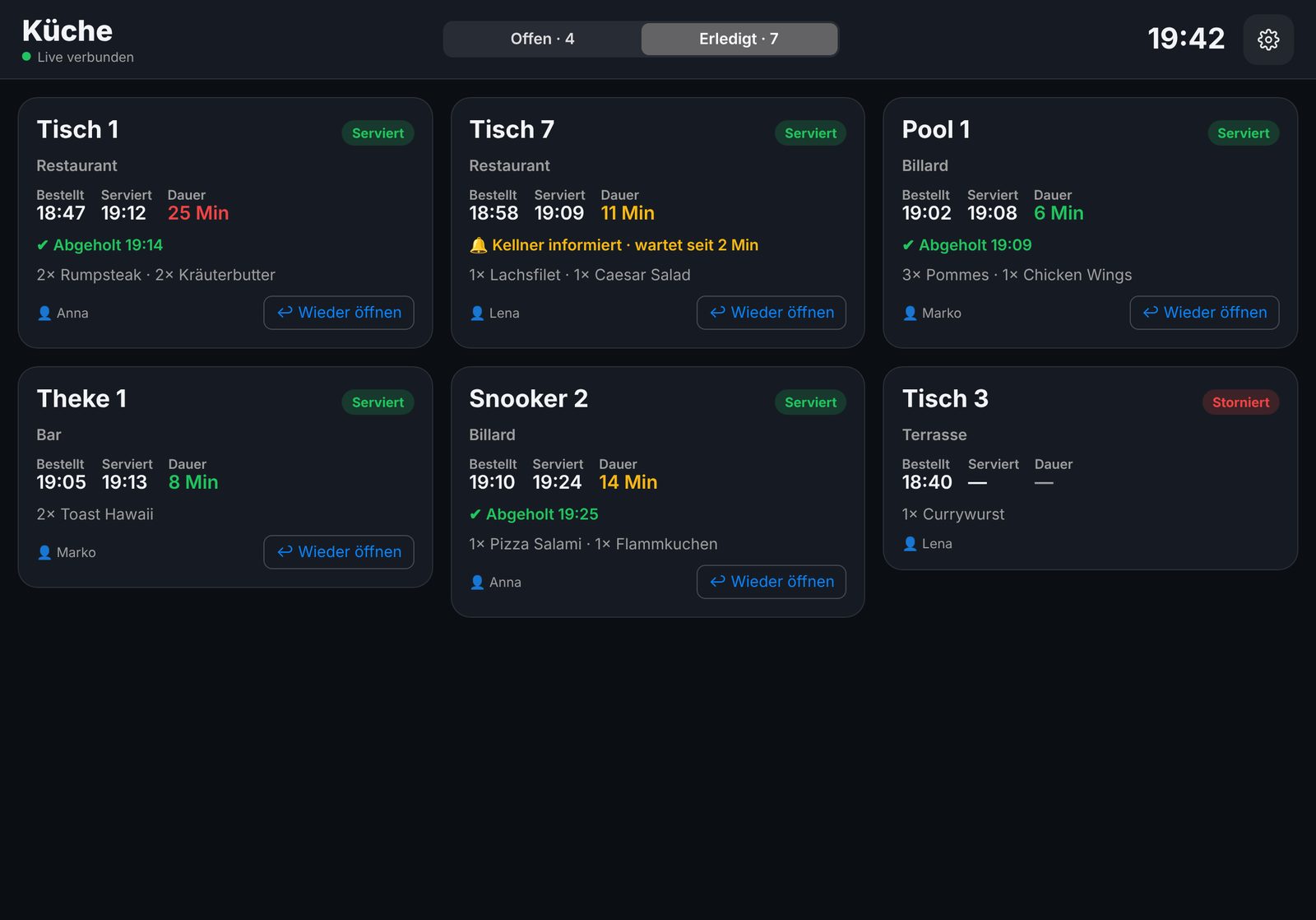
The history shows all tickets of the business day with order time, serving time and duration. When an order is ready, the waiter instantly gets the “Ready for pickup” notice in SBL POS Mobile, and the station sees when it was picked up.
- Reopen with one tap
- New business day automatically after the end-of-day closing
- Drinks and food reported separately per station
Setup
Create in the till, connect on the iPad
Create stations freely
Under Administration → Bar/kitchen display create e.g. “Kitchen” and “Bar” and assign the categories. Subcategories are included automatically.
Securely paired
Connection via a 6-digit one-time code. The iPad has no access to the till or users and can be removed at any time.
Light, dark, automatic
Columns, font size, yellow and red thresholds, sounds and volume adjustable, protected by admin PIN.
Connected live
Changes appear in real time. If the network drops briefly, the station fetches the data automatically.
Ticket printing remains
The display does not have to replace the printer. Tickets can still be printed in addition.
Demo mode
The app can be tried without a till using sample tickets.
See the kitchen display live
We will show you SBL POS Station together with the till and the waiter app.